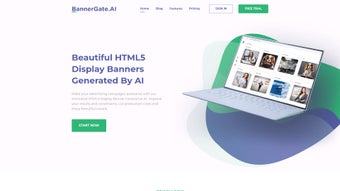

Download BannerGate – AI‑Powered Banner Maker, Free Trial, Secure HTML5 Creator
Introduction & Overview
BannerGate is a cloud‑based, AI‑driven banner creation platform that lets marketers, designers, and small‑business owners produce professional‑grade HTML5 animated banners in a matter of minutes. By converting a simple text brief into a fully designed, responsive banner, the service eliminates the need for hand‑coding, expensive design software, or lengthy back‑and‑forth with external agencies. The application offers a rich library of over 150 templates, drag‑and‑drop brand assets, and granular controls for colors, fonts, and animation timing.
All output is clean, lightweight HTML5 code that complies with the strict standards of major ad networks, ensuring fast load times and high approval rates. BannerGate operates on a subscription model that scales from a free trial for solo entrepreneurs to enterprise‑level plans with unlimited seats, priority support, and advanced API integrations. Security is baked in: data is encrypted in transit with TLS 1.3 and at rest with AES‑256, and the platform meets GDPR and CCPA requirements.
Continuous updates keep the AI engine aligned with the latest design trends, so each banner feels fresh, conversion‑optimized, and ready for deployment across desktop, mobile, and programmatic channels. Whether you’re launching a seasonal promotion, testing multiple creatives, or building a cohesive brand banner suite, BannerGate promises speed, consistency, and cost savings without compromising on quality.
Key Features & Benefits
- AI‑Driven Design Generator: Enter a brief description and receive three instant layout options with suggested animations, color palettes, and typography that match your brand voice.
- HTML5‑Compliant Export: All banners are delivered as clean, lightweight HTML5 files, ensuring compatibility with Google Ads, Facebook Audience Network, and other programmatic platforms.
- Extensive Template Library: Choose from more than 150 pre‑designed templates covering e‑commerce, SaaS, events, holidays, and industry‑specific themes.
- Brand Customization Tools: Upload logos, set brand fonts, and fine‑tune colors while the AI respects your existing style guide.
- Responsive Real‑Time Preview: Instantly see how the banner looks on desktop, tablet, and mobile devices, eliminating guesswork.
- One‑Click Export & API Integration: Download a zip with HTML, CSS, and assets, or push the banner directly to ad servers via built‑in API endpoints.
- Collaboration & Version Control: Share drafts with teammates, leave comments, approve designs, and revert to previous versions with a single click.
- Secure Cloud Storage: Assets are stored on encrypted servers with automated backups, meeting GDPR and CCPA compliance.
- Scalable Pricing Plans: From a 14‑day free trial to premium plans that include unlimited banners, multi‑user seats, and priority support.
- Continuous AI Learning: The system analyses design trends and performance data to suggest ever‑more effective creative options.
The benefits of these features extend far beyond speed. Marketers gain data‑driven design recommendations that previously required a seasoned graphic designer, enabling rapid A/B testing cycles and higher click‑through rates. The HTML5 output ensures low file sizes, quick load times, and compliance with the latest ad‑network policies—critical for maintaining campaign performance and avoiding disapprovals. Collaboration tools centralise feedback, reducing email overload and shortening project timelines. Whether you’re a solo freelancer looking for a cost‑effective way to produce client banners or an agency managing dozens of campaigns, BannerGate adapts to any workflow while keeping the user experience intuitive, secure, and enjoyable.
Installation, Usage & Compatibility
Getting Started – No Download Required
Because BannerGate is a SaaS solution, there is no traditional installation process. Simply navigate to bannergate.com, click “Start Free Trial,” and register using your email or single‑sign‑on (Google, Microsoft). After confirming your email, you are taken directly to the dashboard where the AI banner wizard awaits.
Step‑by‑Step Workflow
- Select a Template or Blank Canvas: Browse the library or start from scratch to let the AI generate a layout based on your brief.
- Enter Your Creative Brief: Provide campaign goals, target audience, and key messages (e.g., “Summer sale – 30 % off swimwear – vibrant, playful tone”).
- Review AI‑Generated Concepts: Choose from three automatically generated designs, each with unique animation paths, fonts, and colour schemes.
- Customize Elements: Replace placeholder images, upload your logo, adjust colours via the palette picker, and fine‑tune animation speed with a slider.
- Responsive Preview: Switch between desktop, tablet, and mobile views to ensure the banner looks perfect on all devices.
- Export or Publish: Click “Export” to download a zip containing HTML5, CSS, and assets, or use the “Publish to Ad Server” button for direct integration with Google Ads, Facebook, or programmatic DSPs.
System Requirements & Operating System Compatibility
BannerGate runs entirely in the browser, making it compatible with any modern operating system that supports HTML5 and JavaScript. Recommended browsers are Chrome (latest), Firefox (latest), Safari 14+, and Microsoft Edge. The platform works on Windows 10/11, macOS Ventura and later, as well as Linux distributions with up‑to‑date browsers. Mobile browsers on iOS 13+ and Android 9+ also support the dashboard for quick edits, though full design capabilities are best experienced on a desktop or laptop screen.
Security, Updates & Support
Updates to the AI engine, template library, and security patches are rolled out automatically via a continuous deployment model, so you always work with the latest features without manual intervention. All data transfers are encrypted with TLS 1.3, and stored assets are encrypted at rest. For added protection, two‑factor authentication (2FA) can be enabled in the account settings. Support is available through live chat, email, and an extensive knowledge base; premium plans enjoy priority response times and a dedicated account manager.
Pros & Cons, FAQ & Final Recommendation
What Users Love About BannerGate
- AI‑generated designs cut creation time from hours to minutes.
- HTML5 output guarantees lightweight, cross‑platform banners.
- No coding or design expertise required – truly beginner‑friendly.
- Extensive template library covers most industry verticals.
- Collaboration tools streamline feedback loops for teams.
- Secure cloud storage with GDPR/CCPA compliance.
- Scalable pricing accommodates freelancers to large agencies.
- Responsive preview eliminates guesswork about device compatibility.
- Continuous AI learning keeps designs fresh and conversion‑focused.
- API integration enables automated workflows with existing ad tech stacks.
Areas for Improvement
- Power users may miss low‑level CSS animation keyframe control.
- Free trial limits exported banners to three per month.
- Integration with niche ad servers requires manual API configuration.
- Crafting effective AI prompts can have a short learning curve.
- Large, high‑resolution image uploads occasionally slow processing.
- Advanced branding guidelines (e.g., complex motion guidelines) are not fully auto‑validated.
Frequently Asked Questions
Is BannerGate really free to try?
Yes, BannerGate offers a 14‑day free trial with full access to the template library and AI wizard, but limits exports to three banners per month, allowing you to evaluate the platform before committing.
Can I export banners for Facebook and Instagram?
Absolutely. Exported HTML5 files can be embedded in Facebook Ads Manager, and you can also download static PNG/JPG versions optimized for Instagram story and feed ads.
Do I need any design skills to use BannerGate?
No design background is required. The AI suggests layouts, fonts, and colours based on your brief, and you can accept or tweak them with simple drag‑and‑drop controls.
How secure are my assets on BannerGate?
All data is encrypted in transit with TLS 1.3 and at rest with AES‑256. Two‑factor authentication is optional, and the service complies with GDPR and CCPA regulations.
Can BannerGate integrate with my existing workflow tools?
Yes. BannerGate provides API endpoints for automated export to popular ad servers and can connect to project‑management tools like Trello, Asana, and Slack via webhooks for real‑time notifications.
Final Thoughts & Call to Action
If you need a fast, secure, and cost‑effective way to produce high‑quality animated banners without hiring a design agency, BannerGate is a standout solution. Its AI‑driven workflow dramatically reduces production time, while the HTML5 output guarantees compatibility across all major ad platforms and devices. The platform balances ease of use for beginners with enough customization to satisfy seasoned marketers, and its subscription plans scale with your business needs. While power users may crave deeper CSS control, the trade‑off is a smoother creative process that keeps campaigns moving at the speed of digital advertising. Start your free trial today, create a few banners, and experience firsthand how BannerGate can accelerate your ad creation pipeline.



.png)



